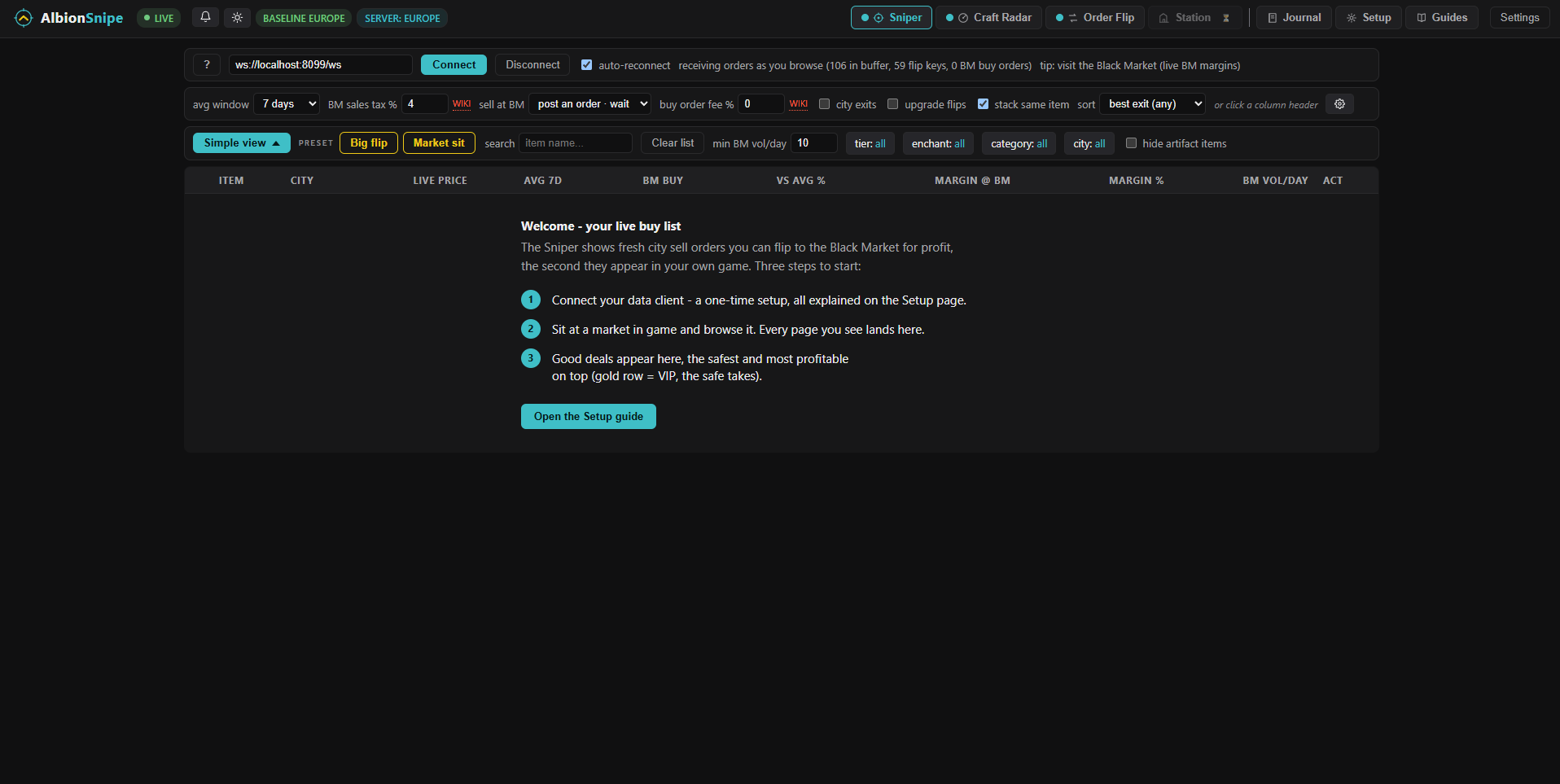
1. Start with an empty list
FAIT. Sniper only fills as the connected data client sees market pages. An empty table is therefore the normal starting state, not missing sample data.
2. Put the newest market listings first
FAIT. A market listing lives 30 days, so its Duration counts down from about 29d 23h when it is freshly posted to seconds when it is about to expire. Sorting by Duration, newest first brings the just-posted listings to the top: here every row reads 29d 23h. Those fresh entries are the ones to check against the market, not the ones with seconds left that have sat unsold for a month while the price moved. Sniper receives the same market data.

3. Make the pass yours
The differentiator is not one fixed list. Tier, enchantment, category and city can narrow the feed. Minimum Black Market volume removes thin candidates. The average window, exit mode, price age and VIP rules change how candidates are ranked and highlighted.
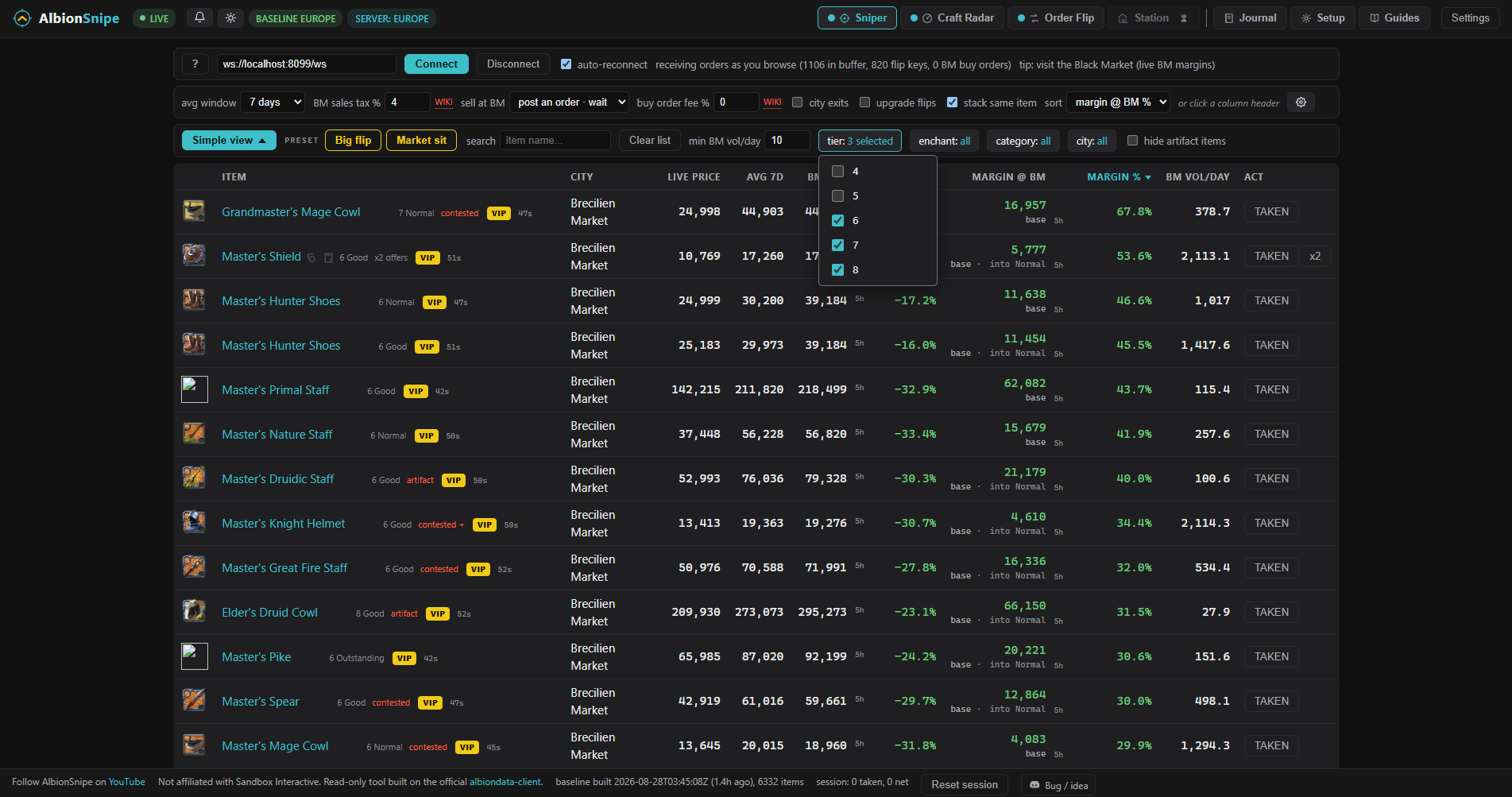
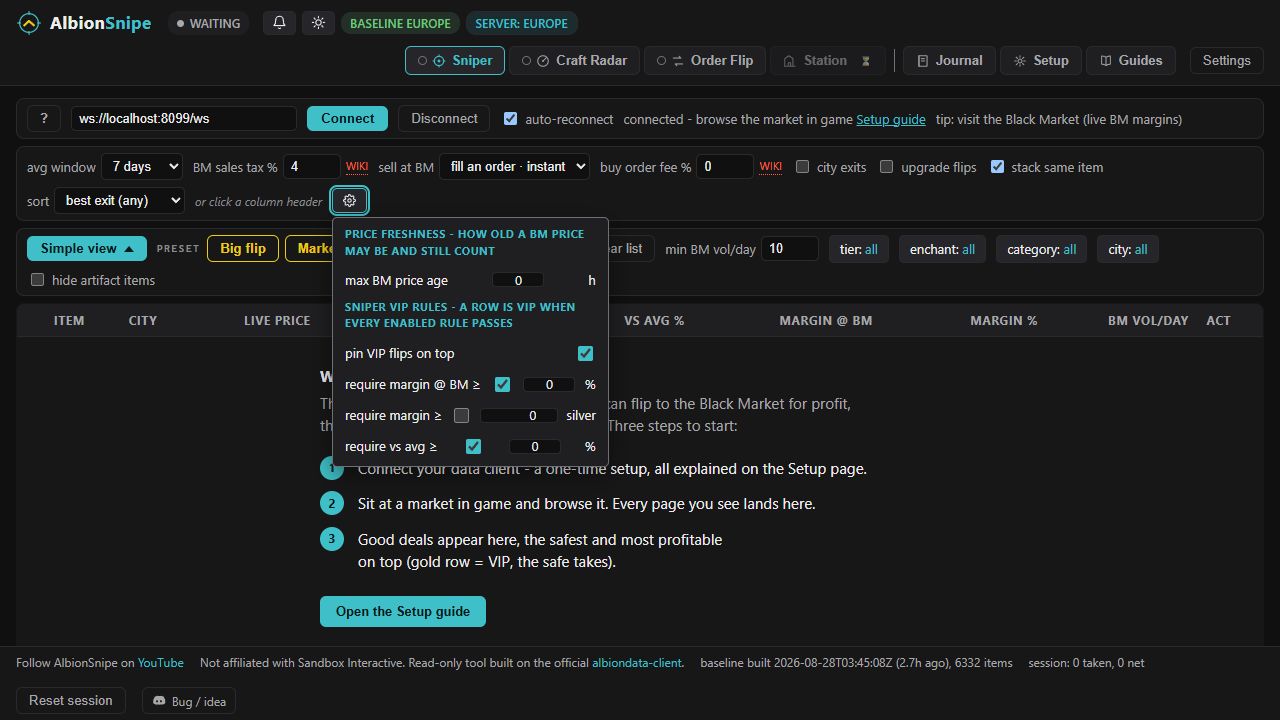
The Market sit preset in the current app selects a patient Black Market exit, a six hour maximum BM price age, a minimum volume of 10 per day and ranking by margin percentage. Change those values when your capital, time or risk tolerance differs.
4. Read one candidate, not a promise
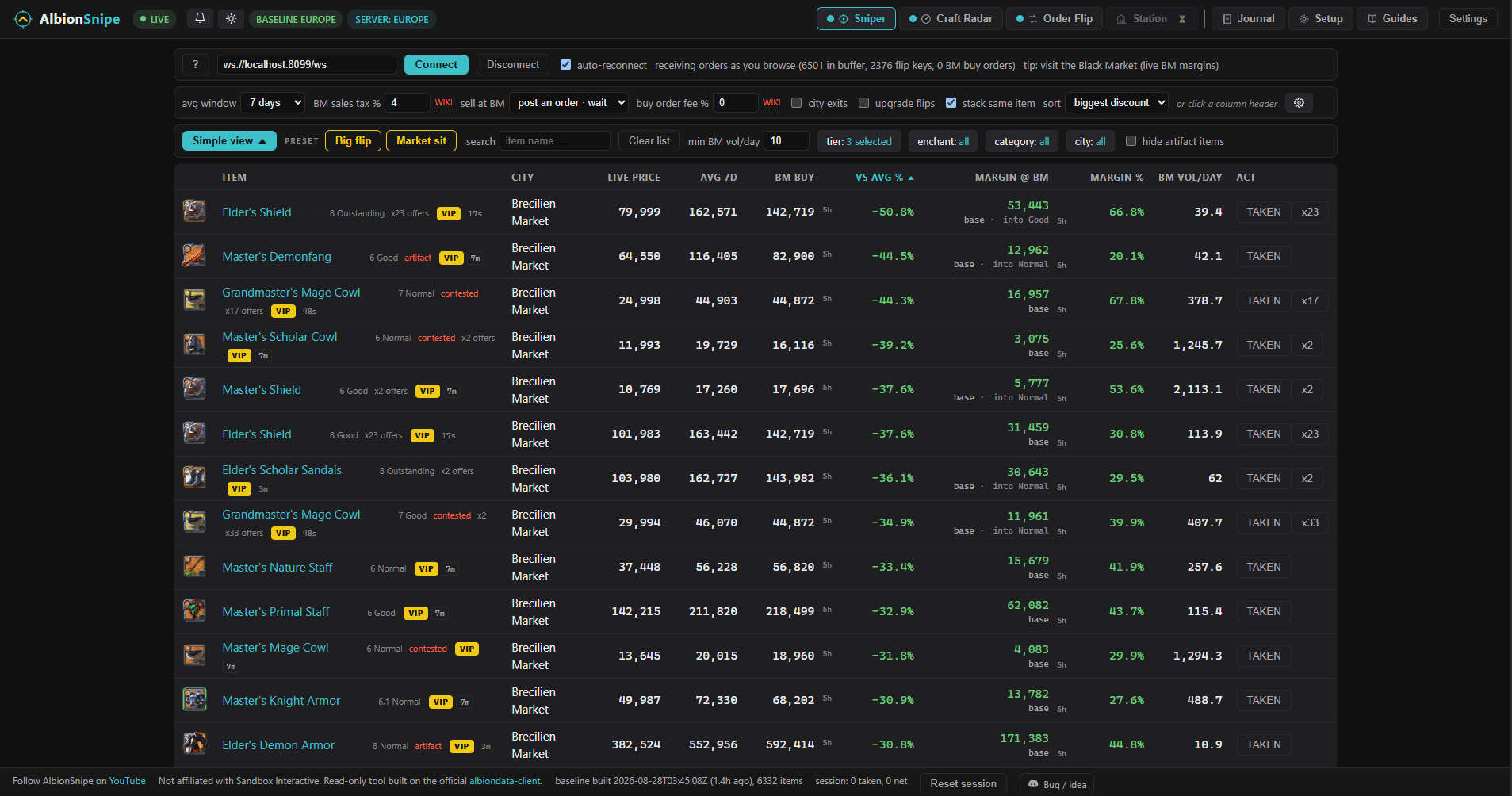
FAIT. The captured Elder's Shield row showed a city listing at 79,999 silver, a 7 day average of 162,571, a Black Market reference of 142,719, a displayed Market sit margin of 53,443 and 39.4 units per day. The 7 and 30 day averages in the source snapshot were close, but that does not prove the listing remained available or that the item sold.
5. TAKEN records the candidate
FAIT. TAKEN creates a Journal entry with the item and prices. A_VERIFIER. The Journal screenshot was taken ten minutes after the Sniper capture and shows 57,011 rather than 53,443. It does not prove which exit mode was active when TAKEN was clicked, so the two figures cannot be treated as one audited calculation.
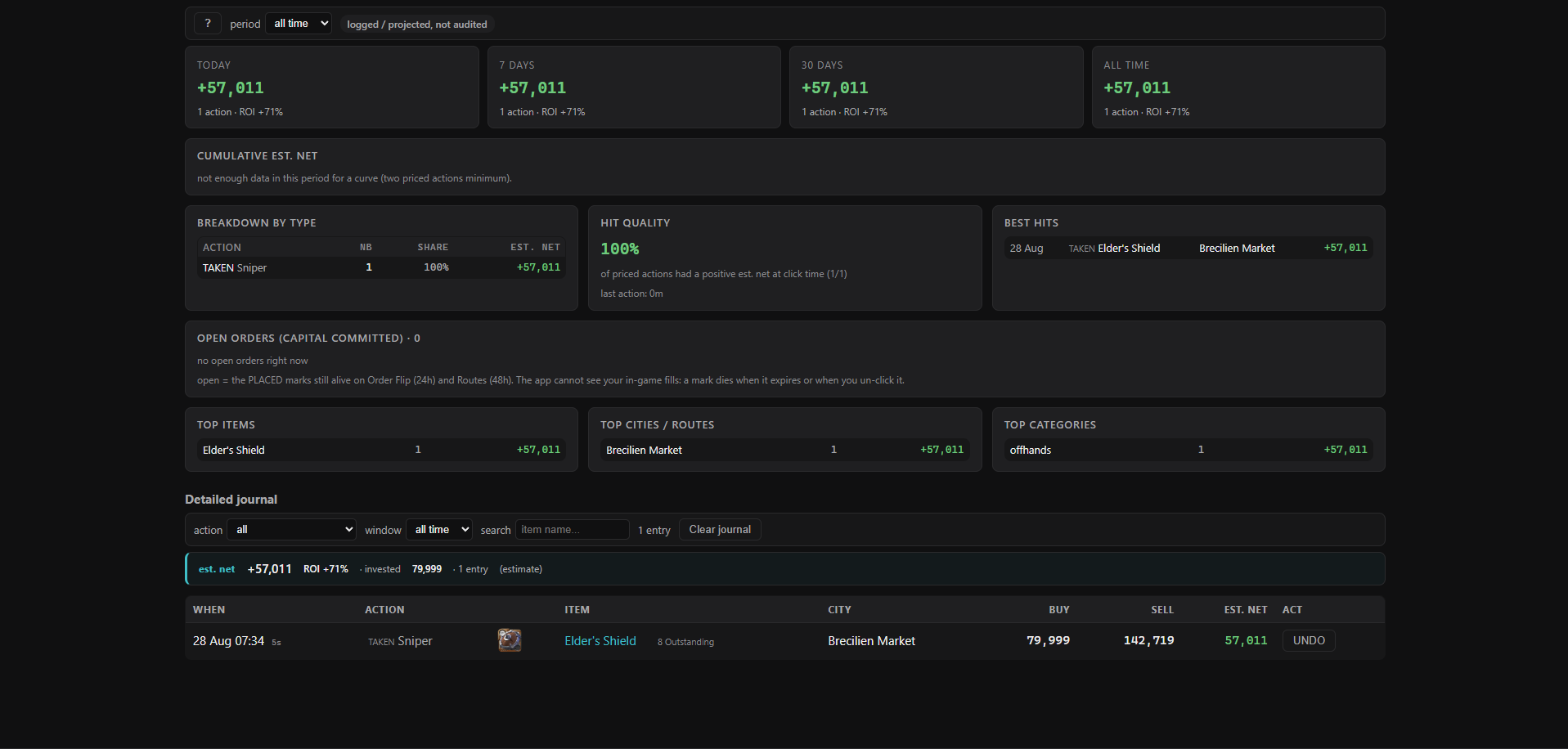
6. The virtual 100m pass
No result is published for this lot yet. A 100m simulation needs the complete observed order buffer, order depth, fees, volume constraints and an explicit exit rule. The screenshots prove selected rows, not the full opportunity set. Any later total will be labelled simulated or projected, never realised profit.